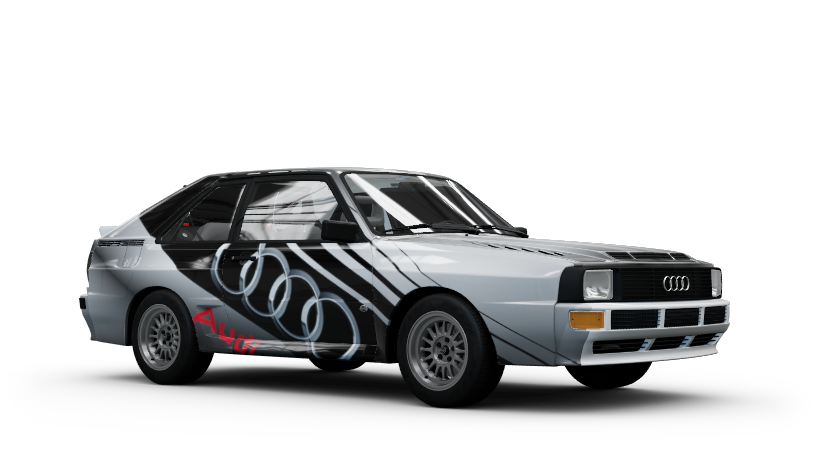
Community Garage
Share and download Forza Horizon 2 liveries, tunes and group vinyls from the game's own menus, with a community server.
I'm Not MentaL
- Approved by our team
- Verified creator: identity and work reviewed
- The file lives on github.com. You get a notice before downloading; we do not scan it.
- No pop-ups or fake download buttons on our site
Description
Share and download Forza Horizon 2 liveries, tunes and group vinyls from the game's own menus, through a community server. The game's Share, Find, Suggested and download screens work again, as they did when the original servers were online, and so do the speed trap and speed zone leaderboards and Rivals.
https://forza.imnotmental.com/
> Unofficial fan project for the PC version of Forza Horizon 2 running on Azimuth. Not affiliated with, endorsed by or connected to Microsoft, Turn 10 Studios or Playground Games. Forza and related names belong to their owners.
What it does- Share your liveries, tunes and group vinyls with the Share option you already know.- Find other players' designs through the game's search screens, and the Suggested / -Recommended tabs for the car you're looking at.- Download a livery, tune or group vinyl and use it straight away.- Leaderboards: your best speed at every speed trap and speed zone is ranked against the community's, in the game and on the server's website.- Rivals: race any route against another player's ghost, in any car class. Your best time and ghost go on the board for others to race.- Community Drivatars: the AI drivers carry the names of Community Garage players, a new random pick each time you start the game. Your own name is never among them.- Real error messages: when something goes wrong, the game's popup says why (for example "This livery is too big to share") instead of a generic server error.- Works with the game as it is: no extra program to run. It's a mod for the FH2 Mod Platform.
Requirements- Forza Horizon 2 for PC, run with Azimuth (tested with Azimuth 0.9.10-1.0.4).- Windows 10 or 11, 64-bit.- An internet connection (to reach the community server).- The FH2 Mod Platform: it's DWrite.dll next to azimuth.exe, and the download below already includes it (version 2.8.0). If you use other FH2 mods you have it already; it's one shared file.- Works alongside other platform mods (it has been used with Achievements, FnFNitro, ShowFPS, WheresMyBuddy and WreckingBall) and with Extra Options.- Not used with FH2MP. FH2MP and Community Garage both connect the game's online features to their own servers, so they can't run together. When you start the game from the FH2MP launcher, Community Garage stays off by itself; started any other way, it works as usual. You don't need to uninstall anything to switch between them.
Install1. Download CommunityGarage-<version>.zip from the latest release.2. Close the game.3. Extract the zip into your Azimuth folder, the one that contains azimuth.exe. You end up with:```azimuth.exeDWrite.dll <- the FH2 Mod Platform (shared by all FH2 mods)fh2-mods\CommunityGarage.dllcommunitygarage\server.ini```If Windows asks to replace DWrite.dll, say yes unless yours is newer than 2.8.0. Don't delete anything else that is already in fh2-mods.
4.Start the game. The first time, the mod makes your account key (see below). Nothing else to set up.
To check that it loaded, open fh2-mods\platform.log: lines tagged [CommunityGarage] should include HTTP bridge installed.
If Azimuth updates to a version this release doesn't know yet, Community Garage switches itself off and the title screen says so: the game then plays as it does offline until an update of the mod supports it.
Using it- Share: open one of your designs or tunes and use the game's normal Share option. The game remembers what it has already uploaded, so to share something again, change it a little or save a copy first.- Find and download: use the game's Find / Search results and the Suggested / Recommended tabs, open one and download it.- Everything you share is public to all players on the server.- Speed traps and speed zones: just drive. When you beat your best, it's sent to the server, and the trap's leaderboard shows the community's times. The game only sends a new best when you beat your best on that trap in any car, so a "personal best" in a slower car isn't always sent.- Rivals: open Rivals from the pause menu, pick a route and a class, and race. The rival is the closest player faster than you on that route and class (or the fastest when you have no time yet); their ghost drives with you. Each new best is sent along with your own ghost, for others to race.- Website: the server's website has a leaderboard tab (speed traps and speed zones) and a rivals tab (one board per route and class); click a board for its top 50.- Settings: Pause > Settings > MODS > Installed mods > Community Garage has a description and switches for checking for updates, the server's economy values, Drivatar names from the server (off: the AI drivers keep the game's own names) and a troubleshooting log. The same settings are in communitygarage\server.ini.
Your accountThe first start creates a random account key in communitygarage\account.ini (older versions kept it in server.ini; it's moved over automatically). It's your login: keep that file private and back it up (if you lose it you become a new player and lose control of what you uploaded). Updates don't touch it. Your creator name is the gamertag from azimuth.ini (a number is added if someone already has that name); put name= under [account] in account.ini to change it. To start a new account, delete account.ini.
Limits- New accounts can share a few items a day at first; after that there's a daily and a total cap per account.- Uploads are checked automatically. Broken files and offensive text are refused.- Very large liveries can't be shared. The game refuses to open a downloaded livery bigger than about 337 KB (the popup says it's too big to load). The server therefore refuses uploads above that size instead of storing something nobody can open. Simplify the design (delete some layers) and share it again. This is a limit inside the game, not something the mod can change.- Don't share designs made with a layer limit patch. Tools that raise the game's layer limits let you build designs far bigger than the game can load from the server, so nobody (including you) will be able to download them.- Tune previews are only a placeholder picture, AI opponents don't wear community liveries (only names), and the game's Clubs tab is switched off (there are no club services).- Monthly Rivals is empty: the server doesn't publish monthly events. Rivals on any route works.- Leaderboards and Rivals need this version of the mod and the current server. Bests set before you installed it only reach the boards when you beat them.
Privacy- To the community server: your account key (stored there only as a hash), your display name, what you choose to share, your speed trap, speed zone and Rivals bests (with the car, its class and the assists you used) and your Rivals ghosts, and the address you connect from.- Your display name is public: it's shown with your times on the leaderboards (in the game and on the website), and other players' games can give it to their AI drivers.- To GitHub: the FH2 Mod Platform looks for a newer release about every six hours and says so on the title screen. Nothing is installed for you. Turn it off with Check for updates on the MODS page, or check=0 under [updates] in server.ini.- Nothing is sent to Microsoft or Xbox Live by this mod. The game's requests to Xbox Live are answered on your PC or refused, never forwarded.
UninstallClose the game and delete:- fh2-mods\CommunityGarage.dll- the communitygarage folder (this holds your account key)To remove the FH2 Mod Platform and every mod built on it, also delete DWrite.dll and the fh2-mods folder. Your game saves aren't touched. Designs you downloaded stay in your garage.
Mod details
Compatible game version:Forza Horizon 2 Azimuth (PC port)