Drone Mode
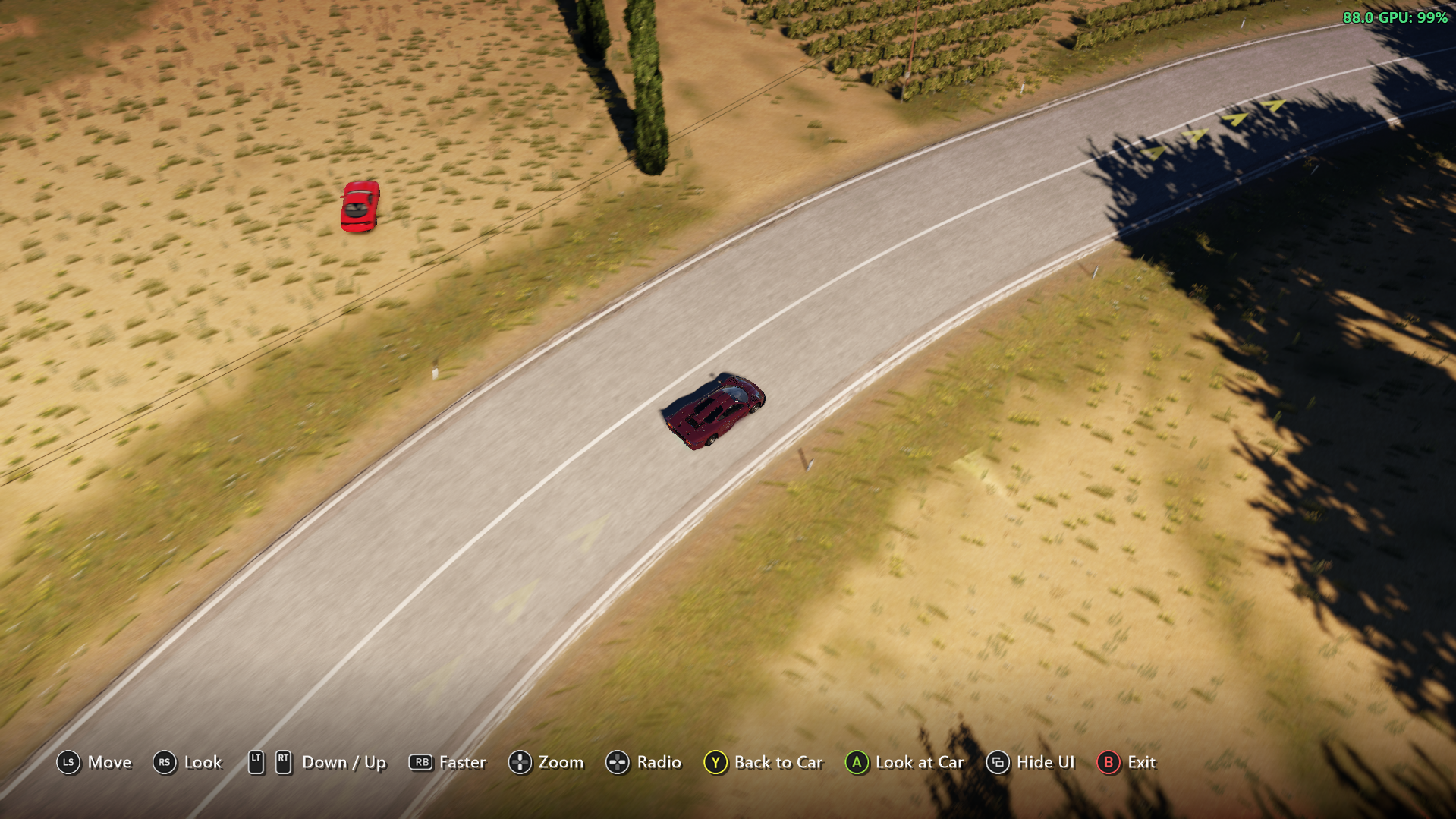
A drone camera for*Forza Horizon 2 on PC (Azimuth), started from ANNA's menu and flown with an Xbox controller. Fly the camera away from you
I'm Not MentaL
- Approved by our team
- Verified creator: identity and work reviewed
- The file lives on github.com. You get a notice before downloading; we do not scan it.
- No pop-ups or fake download buttons on our site
Description
A drone camera for Forza Horizon 2 on PC (Azimuth), started from FH2 ANNA's menu and flown with an Xbox controller. Fly the camera away from your car to look around or take pictures, then come back with one button.
ANNA Drone Mode is a mod for the FH2 Mod Platform. It needs FH2 ANNA.
Using it
Tap D-pad down to open ANNA, then choose Drone Mode. The camera rises behind your car and the controller flies it:
| Controller | Does |
|---|---|
| Left stick | Fly forward, back and sideways (forward is where the camera looks) |
| Right stick | Look around |
| RT / LT | Up / down |
| RB (hold) | Faster |
| D-pad up / down (hold) | Zoom in / out |
| D-pad left / right | The game's radio: previous / next station |
| Y | Back to the car |
| A | Look at the car: the camera keeps turning to it as you fly (press again, or use the right stick, to stop) |
| View | Hide / show the button help |
| B or Start | Leave the drone |
The HUD hides while you fly, and the buttons show along the bottom of the screen, as in photo mode, with the game's own button pictures (read from your game's files when the drone starts). When the drone starts, the car brakes hard to a stop (about 2.5 g) and stays put. With FH2 ANNA's Auto Drive on, the car drives on instead, and the drone moves along with it so you keep up. The drone stays within 400 m of the car. Drone Mode is greyed out when it can't start, for example during Auto Drive's cinematic shots or while a menu is open.
The button help is a window drawn over the game's, so it shows when the game runs windowed or borderless, not in exclusive fullscreen.
Languages
Drone Mode, the button help and the Mods page row follow the game's text language, as FH2 ANNA does: English, French, German, Italian, Spanish (Spain and Mexico), Brazilian Portuguese, Dutch, Polish, Russian, Japanese, Korean and Traditional Chinese. Czech and Hungarian stay in English, as the game does. The Mods page row, and Drone Mode while it's greyed out, follow from the next launch after a language change.
Settings
On Pause > Settings > MODS:
| Setting | Default | Does |
|---|---|---|
| Drone: invert look | Off | Right stick up looks down |
| Drone: collide with the world | On | Off: the drone flies through the ground and buildings |
It's saved in fh2-mods\ANNADroneMode.ini.
Installing
- Install FH2 ANNA first: 1.1.0 or later, for Auto Drive to keep driving in races while the drone flies.
- Download the latest
ANNADroneMode-<version>.zipfrom Releases and extract it into your Azimuth folder, the one withazimuth.exein it. You should end up withANNADroneMode.dllin thefh2-modsfolder.
Credits
- FH2 Camera Mods by Deuquan: where the cockpit cameras' position, direction and car-drawing slots were found.
- FH2 Mod Platform, which includes MinHook.
Mod details
Required mods0/1 installed
Install these first for this mod to work. Tick the ones you installed; this browser remembers it.
- ANNAGet
Player screenshots
Sign in to add yoursNo screenshots yet. Be the first to share a shot from your game.