
I'm Not MentaL
- Approved by our team
- Verified creator: identity and work reviewed
- The file lives on github.com. You get a notice before downloading; we do not scan it.
- No pop-ups or fake download buttons on our site
Description
FH2 Mod Platform for .NET
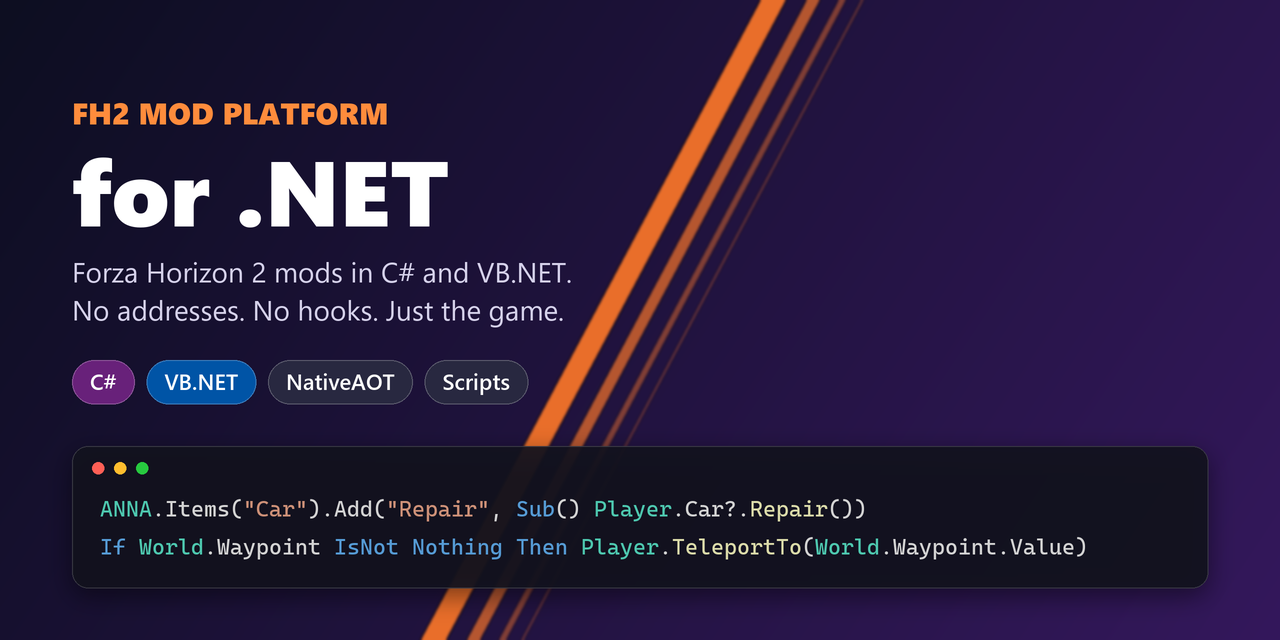
Write FH2 Mod Platform mods for Forza Horizon 2 in C# or VB.NET. The SDK wraps the whole platform API (API 9, platform 2.8.0): game text, title-screen notices and entries, files, the game database, hooks, byte patches and instruction hooks, settings, pages, hotkeys, commands, sessions and crash dumps. On top of that, the FH2 classes give you the game itself, without reverse engineering: Player.Car.Repair(), World.Waypoint, UI.Notify(...), ANNA.Items("Car").Add(...) (below).

0.11.0 is a preview. The API can still change before 1.0, and some of the
FH2classes haven't been tested much in the game yet: see Known issues.
Requirements
- To play: Forza Horizon 2 through Azimuth (the 24 November 2015 build everyone plays), with the FH2 Mod Platform 2.8.0 or later (the release zip includes it).
- Hosted mods and scripts also need the .NET 10 runtime (x64), or a private copy in
fh2-mods\dotnet\runtime\. Without one, the title screen says so, and only the hosted mods are off. - NativeAOT mods need nothing more.
- Hosted mods and scripts also need the .NET 10 runtime (x64), or a private copy in
- To write mods: the .NET 10 SDK, and Visual Studio's C++ tools (Build Tools are enough) for NativeAOT builds.
On any other build of the game, the FH2 classes check the game's code, find it different and switch themselves off (platform.log says which). The platform API keeps working.
Installing
Extract the release zip into your Azimuth folder (the one with azimuth.exe). You get DWrite.dll (the platform), fh2-mods\FH2DotNet.dll and fh2-mods\dotnet\ (Platform.NET and the SDK). Hosted mods then go in fh2-mods-dotnet\<Name>\, scripts in fh2-mods-dotnet\scripts\, and NativeAOT mods in fh2-mods\ like any other mod.
using FH2ModPlatform;

namespace MyMod;

public sealed class MyMod : Mod
{
    public override ModInfo Info => new("MyMod", "1.0.0") { GithubRepo = "You/MyMod" };

    protected override void OnInit()
    {
        Log("hello");
        SetString("LoadingMessages.str", 0x6875, "Fast Traveling (with MyMod)");
        AddSetting(new ToggleSetting("Fast", "Go faster", true) { Changed = on => Log($"fast: {on}") });
    }
}
<Project Sdk="Microsoft.NET.Sdk">
  <PropertyGroup>
    <TargetFramework>net10.0</TargetFramework>
    <FH2ModType>MyMod.MyMod</FH2ModType>
  </PropertyGroup>
  <ItemGroup>
    <PackageReference Include="FH2ModPlatform" Version="0.11.0" />
  </ItemGroup>
</Project>
VB.NET
VB.NET mods work in both modes. Set <FH2ModType> to the full class name, including the root namespace (CarSpawner.CarSpawnerMod). VB has no pointers, function pointers or spans, and can't declare [UnmanagedCallersOnly], so:
- The build gives VB NativeAOT mods the SDK's own
fh2mod_init. It finds your class through[assembly: ModEntry]and keeps your assembly's metadata for that, so the DLL comes out somewhat larger. - Hooks take delegates:
HookFunction(name, address, New MyFn(AddressOf MyDetour)). Call the code you replaced withhook.Original.Invoke(...). GameCodereads game memory, checks code bytes (GameCode.Matches(addr, GameCode.Hex("48 8B ..."))) and turns addresses into callable delegates.- Reads that can't crash (
TryRead,ReadSafe,ReadPointerSafe,IsReadable) for game data that may be gone: .NET can't recover from an access violation, so one bad pointer read raw ends the game. MatchesBuildandSlotMatchesBuildcheck code that another mod may have hooked too, against the game's exe on disk.ReadStdStringreads the game'sstd::string.
- Reads that can't crash (
SetFileandPatchByteshaveByte()overloads.
tests/scripts/HiScript.vb is a VB.NET script, and the Scripts section has another.
The game: the FH2 classes
The FH2 namespace is the game, ready to use: no addresses and no hooks of your own. Each class checks the game's code before it does anything, and on another build switches itself off (platform.log says so). They start the first time a mod uses them.
ANNA.Items("Car").Add("Repair", Sub() Player.Car?.Repair())
AddHandler Game.Tick, Sub() If Player.Car?.SpeedKmh > 300 Then UI.Notify("Slow down", "")
If World.Waypoint IsNot Nothing Then Player.TeleportTo(World.Waypoint.Value)
| Class | What it gives you |
|---|---|
Game | The game's thread: Tick (once a frame while you drive), Run/RunAsync (code on the game's thread), PhysicsStep (every car's physics step), Rewound, CarRelocated, IsDriving, IsPaused, Language |
Player | Credits, level, skill points, your car (Player.Car), TeleportTo (the road nearest a spot, as fast travel does) |
Vehicle | A car: kind (yours, a Drivatar's, traffic), model, position, direction, speed, gear, rpm, pedals, Velocity (settable in PhysicsStep), IsOnGround, Repair, HeadlightsOn, ExhaustFlames, Backfire |
World | Every car, the nearest, cars in range, the time of day and its pace, Waypoint (the map's) |
Garage, CarCatalog, Profile | Cars you own and adding one, every car's names, the profile's values |
ANNA | Entries in FH2 ANNA's menu, in its own lists or yours |
UI | The HUD's notification: UI.Notify(title, text) |
Hud | Whether the speedometer is up, and values for a speedometer XAML of your own (SetGaugeItem) |
Camera | Shake for the driving cameras |
Audio | Your own sounds through the game's audio, from a car or a spot (LoadSound, PlayOn, MixSound) |
Controller | The controller's buttons, triggers, sticks and rumble; buttons held for other mods (Simulate, FeedNativeMod) |
Menus, UiElement | The menus: a frame on the UI thread, what has the focus, the elements on screen and where they're drawn, the menus' keys |
GameInput | Feeding the game's controls: driving controls, menu sticks, the controller's buttons held, playing without a controller |
GameWindow | The game's window: the cursor, the mouse's buttons and wheel, keys |
MapView, PhotoCamera, GarageCamera | The map's cursor, camera and zoom; photo mode's sticks; the garage camera's distance |
ButtonIcons, Picture | The controller's button pictures shown as your own; PNGs made into game textures |
SettingsTile | A tile of your own on Pause > Settings, opening your mod's rows |
Skills | How soon the game can award Wreckage, Lumberjack or Sideswipe again (SetRetriggerDelay) |
DebugOverlay | Lines of text over the game, for watching values while you drive |
Most of them are for the game's thread (Game.Tick, Game.Run) or the UI thread (Menus.Frame). Each says which in its documentation, and calling one from the wrong thread throws and says where to call it from.
Two ways into the game
The same project builds either way. <FH2ModType> names your Mod class, and the build generates the fh2mod_init export and the attribute the host looks for.
| Hosted | NativeAOT | |
|---|---|---|
| Build | dotnet build | dotnet publish -c Release -p:FH2ModHosting=Aot, or dotnet build -c Aot |
| In Visual Studio | Debug or Release, then Build | Aot, then Build |
| Goes in | fh2-mods-dotnet\MyMod\, next to fh2-mods (the whole output folder) | fh2-mods\MyMod.dll (one file) |
| Players need | the .NET 10 runtime (x64) and FH2DotNet.dll | nothing |
| Size | your assembly | about 1 MB, the runtime compiled in |
| .NET | everything, including reflection and dynamic loading | NativeAOT limits |
Pick NativeAOT for a mod you ship to players: it's one DLL that loads like any C++ mod. Hosted is good for development and for mods that need full .NET. Don't install the same mod both ways, or it registers twice.
Set <FH2ModsDir> (in a Directory.Build.props, or with -p:) to your game's fh2-mods folder, and builds are copied there for you.
Hosted mods: FH2DotNet.dll
FH2DotNet.dll (src/dotnet.cpp) is a native platform mod. From its fh2mod_init it starts the .NET runtime through hostfxr, the way dotnet does, and loads the SDK from fh2-mods\dotnet\. The SDK then starts every fh2-mods-dotnet\<Name>\<Name>.dll in alphabetical order, each in an AssemblyLoadContext of its own so their dependencies can't clash. Each mod registers with the platform under its own name, all inside fh2mod_init, so its text, file and database edits are in time like any native mod's.
azimuth.exe, DWrite.dll                        the platform
fh2-mods\FH2DotNet.dll
fh2-mods\dotnet\FH2ModPlatform.dll             the SDK, shared by every hosted mod
fh2-mods\dotnet\FH2ModPlatform.runtimeconfig.json
fh2-mods\dotnet\FH2Console.exe                 the console window
fh2-mods\dotnet\FH2DotNet.ini                  FH2DotNet's own switches (console, auto-reload, reload key)
fh2-mods-dotnet\MyMod\MyMod.dll                a hosted mod and its dependencies (next to fh2-mods)
fh2-mods\dotnet\runtime\                       optional: a private .NET runtime
- The runtime comes from
fh2-mods\dotnet\runtimeif it exists, otherwise from the installed .NET (DOTNET_ROOT, the registry, thenProgram Files\dotnet). Any .NET 10 or newer will do. If none is found, the title screen says so. - Without any hosted mods, the runtime isn't started at all.
- MODS > Installed mods lists one row per DLL, so every hosted mod sits under Platform.NET (the row FH2DotNet.dll registers). Its Hosted .NET mods page lists each one with its version, description and status, and pressing A on a mod there reloads it. Each hosted mod's settings show on Pause > Settings > Mods as usual, or on a tile of its own (
SettingsTile). Pages and links a hosted mod adds can't be reached from the MODS tab, though. If your mod needs those, ship it as NativeAOT. - The MODS tab can only turn
FH2DotNet.dlloff as a whole. To turn off one hosted mod, rename its folder to<Name>.disabled. ModInfo.OfflineOnlyworks for hosted mods too, but the bridge holds such a mod back itself when playing online. The platform remembers "offline only" per DLL, and letting it do that would switch off every hosted mod at once.- Crash reports name the DLL a crash came from. Code compiled by the JIT isn't in a DLL, so a crash in a hosted mod's own code shows no mod name. NativeAOT mods are named as usual.
Scripts: .cs and .vb files, no project
Put a .cs or .vb file in fh2-mods-dotnet\scripts\ and Platform.NET compiles it when the game starts, then runs it like any hosted mod. Each file is one mod: a public class that inherits Mod. These namespaces are already imported for you: System, System.Linq, System.Collections.Generic, System.IO, System.Text, System.Threading(.Tasks), System.Numerics, FH2 and FH2ModPlatform.
' fh2-mods-dotnet\scripts\RepairButton.vb
Public Class RepairButton
    Inherits [Mod]

    Public Overrides ReadOnly Property Info As ModInfo
        Get
            Return New ModInfo("RepairButton", "1.0.0")
        End Get
    End Property

    Protected Overrides Sub OnInit()
        ANNA.Items("Car").Add("Repair", Sub() Player.Car?.Repair())
    End Sub
End Class
- If it doesn't compile, the errors go to
platform.logand the console window with the file, line and column (RepairButton.vb(12,9): error BC30451: ...). That script doesn't start; the game and the other mods carry on. - With auto-reload on, saving the file recompiles it and swaps it in.
- To turn a script off, rename it (to
RepairButton.vb.off, say). - A script and a folder mod can't share a name. The folder wins.
- The compiler (
fh2-mods\dotnet\FH2ModPlatform.Scripting.dlland Roslyn, about 15 MB) is only loaded when there are scripts. - Scripts are hosted only: they can't be NativeAOT, and they can't use NuGet packages. For those, make a project.
Reloading a mod without restarting the game
Hosted mods can be rebuilt and started again while the game runs. NativeAOT mods can't: develop hosted, then ship NativeAOT.
- By hand: type
reload MyModin the console window, orfh2mod Platform.NET reload MyMod. Leave out the name to reload every hosted mod, and to start any new ones. - On every build: switch on MODS > Installed mods > Platform.NET > Reload .NET mods when rebuilt. With
<FH2ModsDir>set,dotnet buildcopies the mod into the game and it starts straight away. - From a key: bind Reload .NET mods on the Mods page.
A reload loads the new DLL into a fresh load context. Mods are read into memory, so the files are never locked. The steps:
- The old copy's
Unloadingtoken is cancelled and itsOnUnload()runs. Stop your threads and timers there. - The old copy's hooks are switched off, and its text and SQL edits are dropped.
- The new copy's
OnInit()runs, withIsReloadtrue.
The platform can't remove what a mod added. So settings, pages, title entries, hotkeys and commands that the new copy adds with the same key keep their place and now call the new code. Anything it adds for the first time shows from the next launch. Anything it no longer adds stays until the game restarts and does nothing. Text and database edits always take effect at the next launch, because the game reads them once.
A mod that can't be swapped mid-game (one that changes the game as it loads, say) overrides Reloadable to return false: a reload then leaves it running and says a restart is needed.
The old copy stays in memory until the game closes. A game thread might still be inside one of its detours, so unloading it could crash the game. That's a little memory per reload, so reloading is for development, not for players.
protected override void OnInit()
{
    new Thread(() =>
    {
        nint game = ModPlatform.WaitForCode();
        while (!Unloading.IsCancellationRequested) { /* ... */ Unloading.WaitHandle.WaitOne(1000); }
    }) { IsBackground = true }.Start();
}

protected override void OnUnload() => _file?.Dispose();
Console and debugging
Press ~ (the key left of 1) to open or close the console. You can rebind it on the Mods page under FH2DotNet, and Console window there switches it on too. It opens beside the game without taking the focus. With the console in front, the same key closes it. It shows:
platform.logas it's written: every mod's lines (native and .NET) and the platform's own. Failures are in red, warnings in yellow, and .NET console output in green.- A prompt that runs any mod's command through the platform's command pipe:
list,HelloMod.NET hello you,reload MyMod,mods,cls,help.
The console runs as its own process, fh2-mods\dotnet\FH2Console.exe, so closing it can't close the game. It closes itself when the game does. You can also start it by hand while the game runs.
In your mod:
Log("...")writes a line toplatform.log, tagged with your mod's name.Console.WriteLine,Trace.WriteLineandDebug.WriteLine(Debug builds) go to the log too. A write only queues the line, so they're safe to call from hooks. For hosted mods those lines are tagged[Platform.NET] console:, because all hosted mods share one runtime. NativeAOT mods get their own tag.- Breakpoints: attach Visual Studio or VS Code to
azimuth.exewith code type .NET Core (Managed). Hosted mods are loaded with their.pdb, so you can step through your C# code in the running game, and reloads are debuggable too. - Inspect live values:
AddCommand("speed", null, _ => $"{_speed}"), then typeMyMod speedin the console.
Writing a mod
Everything you need is on Mod (per mod) and ModPlatform (process-wide). Each method maps to one function in fh2mod.h, and the platform's API docs apply as written. A few things are specific to .NET:
-
Callbacks (settings, pages, title entries, hotkeys, commands, instruction hooks) are ordinary delegates, kept alive for the life of the process. An exception thrown from one is caught and logged to
platform.log, never passed on to the game. A command that throws replieserror: <message>. -
Threads.
OnInitruns on the platform's thread: keep it quick, and start aThreadfor anything slow, such asModPlatform.WaitForGame()orWaitForCode(). The platform's rules about which thread each callback runs on still apply. -
API versions. Methods newer than the running platform throw
NotSupportedException. CheckModPlatform.Supports(ApiLevel.Pages)first if you support older platforms. -
Hooks. Detours have to be native-callable: write them as
[UnmanagedCallersOnly]static methods and call the original code throughhook.Original.static Hook? s_hook; [UnmanagedCallersOnly] static int Detour(nint self, int x) => ((delegate* unmanaged<nint, int, int>)s_hook!.Original)(self, x * 2); // on a thread of your own: nint game = ModPlatform.WaitForCode(); s_hook = HookFunction("Thing::Update", game + 0x123456, (nint)(delegate* unmanaged<nint, int, int>)&Detour); s_hook?.Enable();Code that runs every frame should stay allocation-free. For the hottest instruction hooks, the
HookInstructionoverload that takes a function pointer skips the delegate. -
Raw access.
ModPlatform.Apiis theFH2ModApi*itself, andFH2ModPlatform.Nativemirrors every struct in the header, for anything the wrapper doesn't cover.
examples/HelloMod is the platform's hello_mod in C#. tests/mods/TestMod uses most of the rest.
Known issues
0.11.0 is a preview. Known so far:
- A replay after a race crashed the game once, with several mods installed. It isn't known yet whether the SDK was to blame.
- Not tested much in the game yet:
Camera.Shake,Hud.SetGaugeItem,DebugOverlay,Game.RewoundandCarRelocated,MapView,PhotoCamera,GarageCamera,Garage.Add,GameInput.PlayWithoutController, and nitro on Drivatars' cars (Vehicle.ExhaustFlameson other cars). They're built from what other mods found and checked against the game's code, but may not behave as described. - Hosted mods' own pages and links can't be reached from the MODS tab (the platform lists one entry per DLL). Ship a NativeAOT build if you need them, or use
SettingsTile. - Crash reports don't name a hosted mod whose own code crashed (JIT-compiled code isn't in a DLL).
Building this repo
You need the .NET 10 SDK, llvm-mingw, CMake and Ninja, plus Visual Studio's C++ tools (Build Tools are enough) for NativeAOT. Clone with --recursive to get the platform submodule.
scripts/build.sh                                  # everything, staged in dist/
scripts/build.sh --install "D:/Games/FH2/azimuth-windows"   # and FH2DotNet.dll + the SDK into a game
tests/check_layout.sh                             # the C# structs match fh2mod.h, field by field
tests/run_host_test.sh                            # both modes, reloads and auto-reload, against a fake platform
Run tests/check_layout.sh after updating the platform submodule. When the platform adds API members, add them at the end of FH2ModApi in Native/Structs.cs, extend tests/layout.c, and bump ModPlatform.BuiltAgainstVersion.
On GitHub, .github/workflows/build.yml builds and tests it on Windows: publishing a release attaches the zip and the SDK package to it (the tag has to match the version in CMakeLists.txt and FH2ModPlatform.csproj), a nightly build runs when there were commits that day, and Run workflow builds on demand. Nightly and manual builds are kept as artifacts for 14 days.
In Git Bash, the scripts restore ProgramFiles(x86), which bash drops and NativeAOT needs to find the linker. In cmd or PowerShell, dotnet publish -p:FH2ModHosting=Aot works as it is.
License
MIT. The platform in platform/ is MIT too, and includes MinHook (BSD 2-Clause). The script compiler ships Roslyn (MIT). See THIRD-PARTY-NOTICES.txt.
Mod details
Compatible game version:Forza Horizon 2 Azimuth (PC port)
Player screenshots
Sign in to add yoursNo screenshots yet. Be the first to share a shot from your game.