Kijbev
Original author · not a ModsPoint member yet
This mod was listed by ModsPoint; no file is hosted here and the download goes to the author's own link. Are you the author? · · How we list mods
- Checked before it went live
- The file lives on www.farming-simulator.com. We do not scan it.
- No pop-ups or fake download buttons on our site
Description
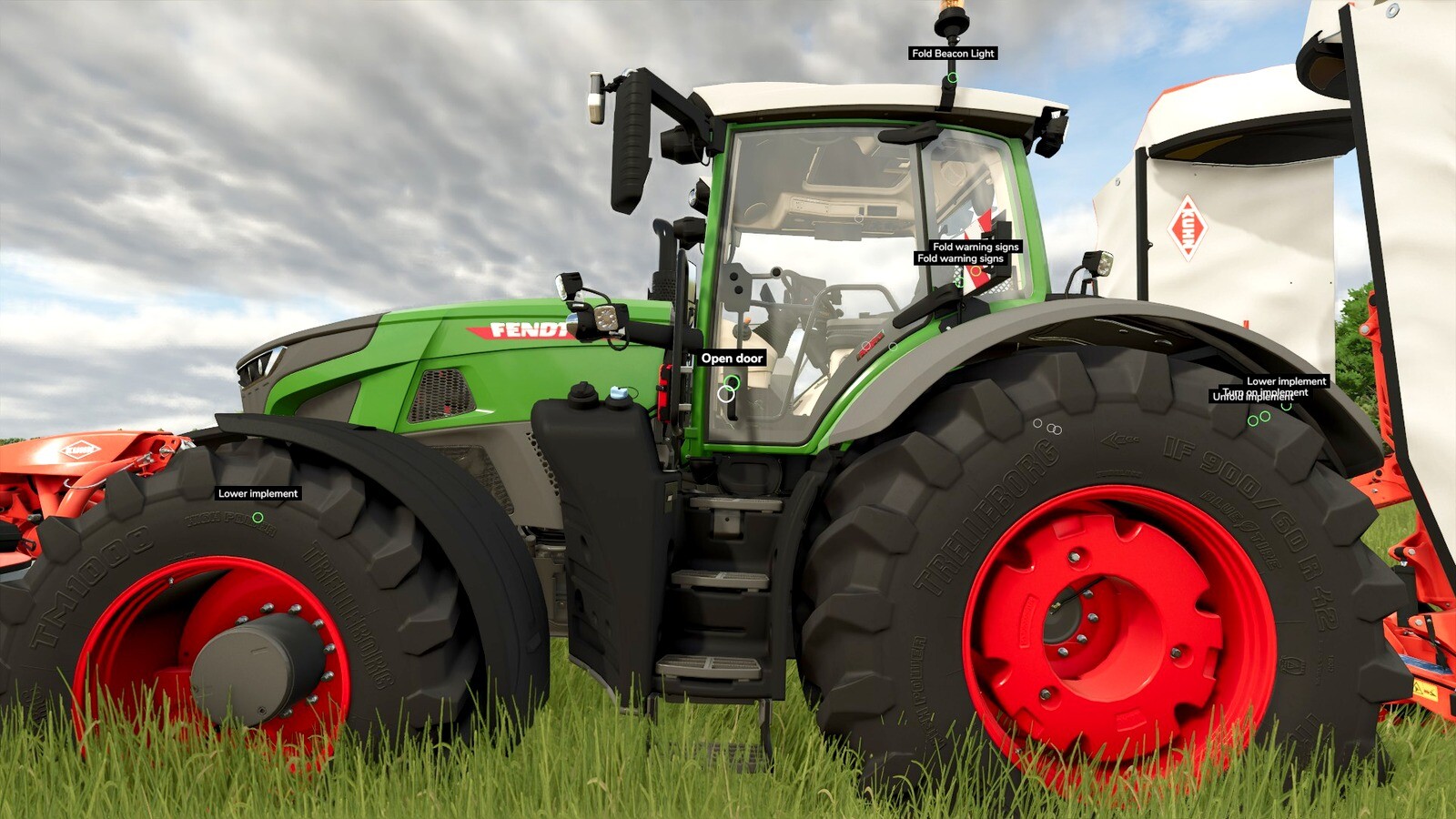
Mouse Click Actions lets you click a vehicle's controls with the mouse: doors, windows, lights, beacons, the ignition, lifting and lowering, folding and switching implements on. It reads the interaction points that vehicles carry for Interactive Control.
WITHOUT INTERACTIVE CONTROL:
- Holding R freezes the view and frees the mouse cursor. Releasing R returns to normal looking and head tracking.
- A short tap on R still does what R does in the game.
- Clicking an interaction point triggers it, in the cab and on foot next to the vehicle.
- The mouse wheel zooms in while R is held.
- With head tracking (TrackIR, Tobii, opentrack), you aim with the cursor while the view stays still.
- Out-of-reach points are gray. Points for an implement that is not attached stay hidden.
- Doors, windows, hoods and other parts you open with a click keep their position when you save and reload, and players who join later see them as they are.
- Settings for labels, label and point colors, a label background and a click sound.
- Settings for message size, color, background and position, and the warning style.
WITH INTERACTIVE CONTROL:
- Mouse Click Actions adds text labels to Interactive Control's interaction points and leaves every interaction to Interactive Control.
- The labels show when Interactive Control shows its points.
- The settings that only apply without Interactive Control are grayed out.
IN BOTH CASES:
- Right Ctrl + F12 opens the Kijbev help panel with the keys of every active Kijbev mod.
WORKS ON:
Vehicles whose files include Interactive Control interaction points, which many mod vehicles do.
Changelog v1.0.1.0:
- Doors, windows, hoods and other parts you open with a click keep their position when you save and reload, and players who join later see them as they are.
- Right Ctrl + F12 opens the Kijbev help panel.
- Settings for message size, color, background and position, and the warning style, for the note shown when a click needs the engine running.
- With Interactive Control, labels show only where Interactive Control shows its points.
This mod may only be hosted on the official GIANTS ModHub. Redistribution on other websites is not permitted without the author's written consent.
Mod details
Player screenshots
Sign in to add yoursNo screenshots yet. Be the first to share a shot from your game.
About Mouse Click Actions
Mouse Click Actions is an FS25 mod in the Scripts category, originally made by Kijbev. The current version is 1.0.1.0, last updated on November 23, 2026. Available for PC.
Browse more FS25 Scripts mods.