TRIDENTE
Original author · not a ModsPoint member yet
This mod was listed by ModsPoint; no file is hosted here and the download goes to the author's own link. Are you the author? · · How we list mods
- Checked before it went live
- The file lives on www.farming-simulator.com. We do not scan it.
- No pop-ups or fake download buttons on our site
Description
Radio Enhancements
This script adds some useful enhancements to the in-game radio.
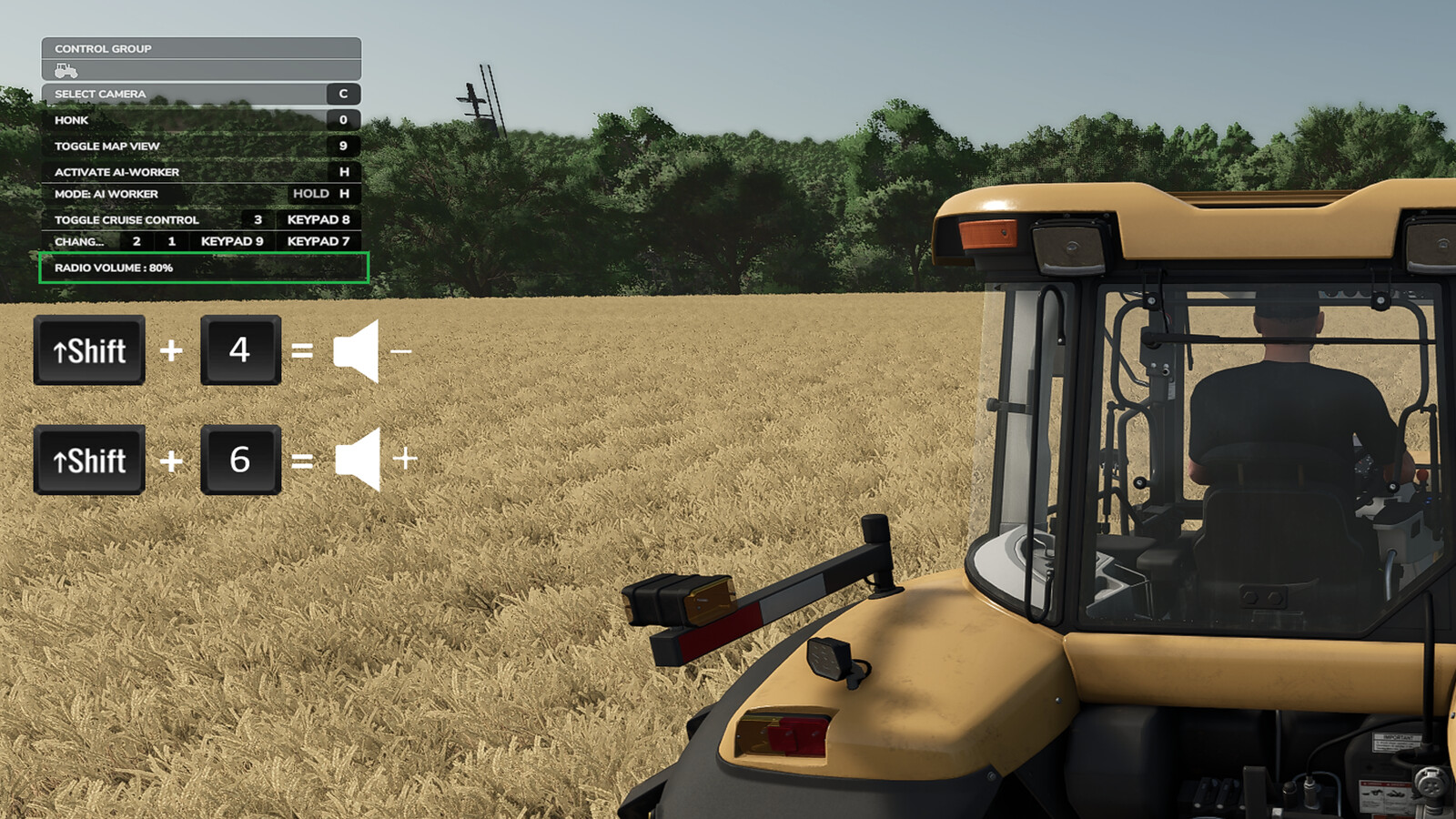
- You can now change the radio volume in vehicles at any time without opening the menu.
Default keys:
- Left Shift + 4 quieter
- Left Shift + 6 louder
The keys can be changed in the menu settings.
-
The current radio volume is shown for a short time in the F1 menu and then disappears again.
-
If you leave a vehicle while a radio station is switched on, you can continue to hear the radio up to a certain distance.
- after leaving the vehicle, the volume is reduced to 20% of the current value (can be changed)
- if you move away from the vehicle, the music becomes quieter and quieter (maximum distance can be changed)
- if you move closer again, the volume slowly increases again
- the radio must be switched off manually in the vehicle to disable this function
- the radio state (on/off) is saved individually for each vehicle
- helpers switch the radio on by default - you can hear it when driving past :) (helper radio can be disabled / changed)
- a RadioEnhancements.xml file is created in the modSettings folder where you can change values
- Multiplayer
- the script synchronizes the radio state (on/off) and the volume of your multiplayer vehicles
- if another player drives past you with the radio switched on, you will hear it too
- internet radio streams are synchronized with your multiplayer partners if you have also set them globally on your side
- Partybox (Changelog 1.2.0.0)
- you can buy a portable speaker in the shop under Miscellaneous > Miscellaneous
- this Partybox can be carried anywhere and, if desired, continuously plays your radio stations / music everywhere
- to use it, simply "enter" the speaker and check the F1 menu
- the Partybox has its own volume control, independent of everything else
- animated party lights of the speaker can be enabled in the F1 menu and are multiplayer compatible
Changelog 1.3.0.0
- A preferred start station can now be set
- Radio stations are now saved per vehicle; the preferred station only applies to vehicles without a saved station
- Vehicles and speakers now keep their own station; outside the vehicle, you will always hear the station of the nearest active vehicle
- Mod settings can now be changed directly in the in-game menu under General Settings
- Helper radio volume is now reduced to 50% by default and can be adjusted freely
- The radioEnhancementsVehicles.xml in the savegame now also stores the manufacturer, type, and station of the vehicles
Changelog 1.2.0.0
- Partybox Update
- fixed an issue where the radio could sometimes be controlled outside of vehicles
- radio HUD is no longer shown outside of vehicles
- radio volume is reduced more when leaving a vehicle
- radio sound outside of vehicles has been slightly degraded (weak background noise added)
Changelog 1.1.0.0
- radio volume is now saved separately for each vehicle ID (for example: Vehicle A > 100% / Vehicle B > 20%). Some engines are simply louder or quieter
- radio status and volume are now saved individually for each vehicle in the savegame and loaded when the game starts
- in multiplayer, you can now hear volume changes made by other players, not just on and off
What I unfortunately cannot change
- in multiplayer, you always hear the radio station currently selected client-side on your own game in other players' vehicles, not the other player's station
Mod details
Player screenshots
Sign in to add yoursNo screenshots yet. Be the first to share a shot from your game.
About Radio Enhancements
Radio Enhancements is an FS25 mod in the Scripts category, originally made by TRIDENTE. The current version is 1.3.0.0, last updated on November 23, 2026. Available for PC.
Browse more FS25 Scripts mods.